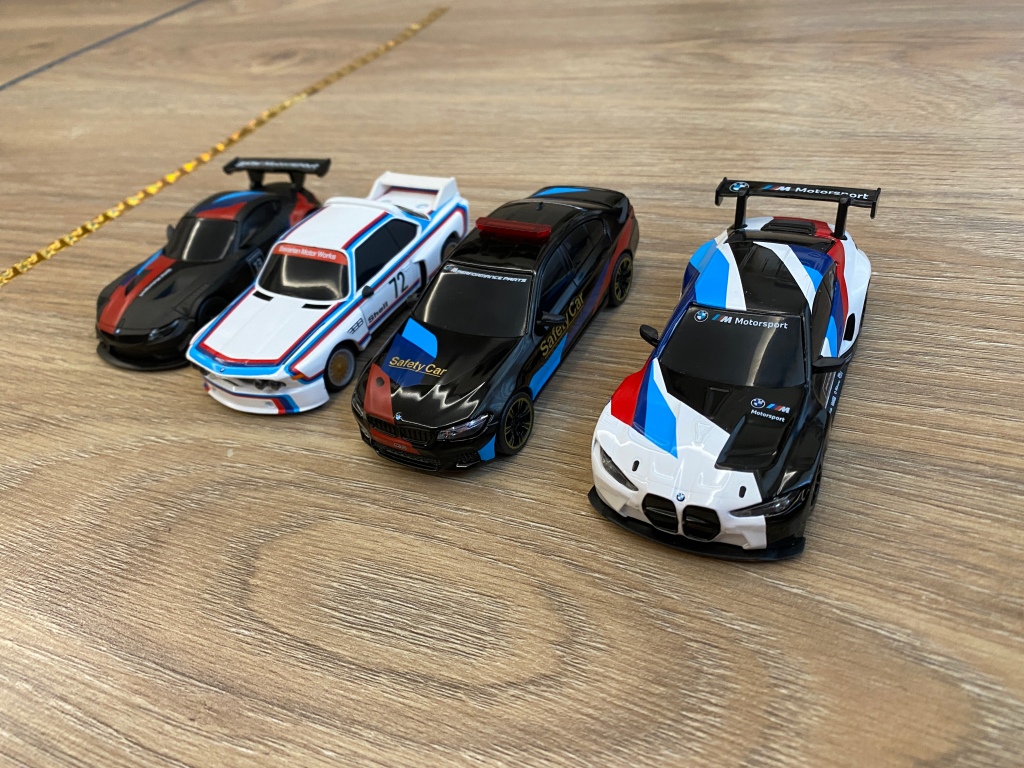
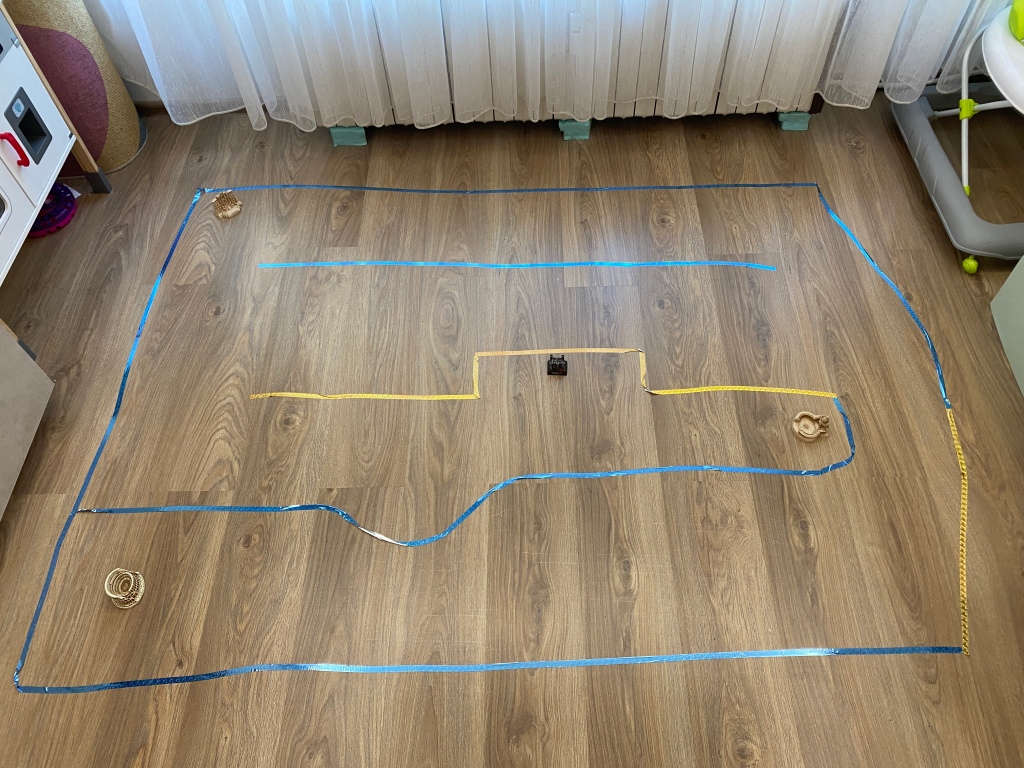
Hey, everyone! Last weekend I woke up at 6 AM, prepared a racing track in the living room, charged my new BMW x Shell bluetooth cars, made pancakes, did this traffic light microbit project and started to wait for everyone to wake up. So productive, right? I really wanted to create one magical weekend for us and the kids. The day started with a delicious breakfast and a fun car game/race that we did for hours! Oh, Saturdays, I love you! If you are interested in the project that made the racing track better than ever, then keep reading!
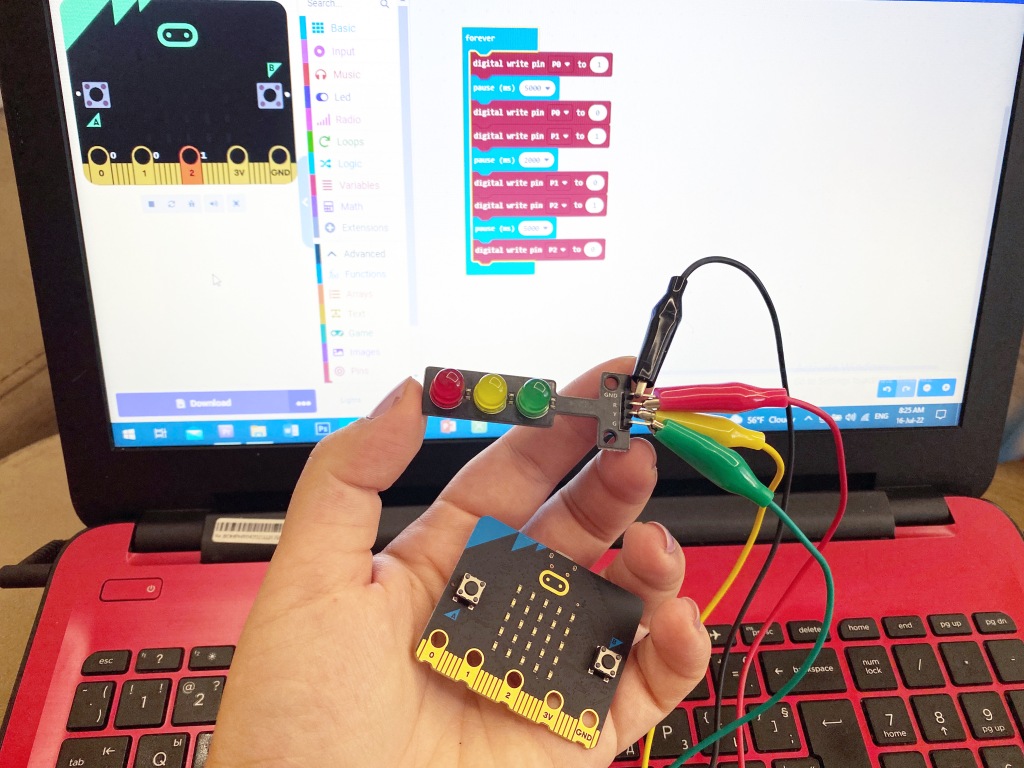
So, I mentioned I did a traffic light microbit project, but I didn’t mention that it was very easy and fun to do. These are the steps:
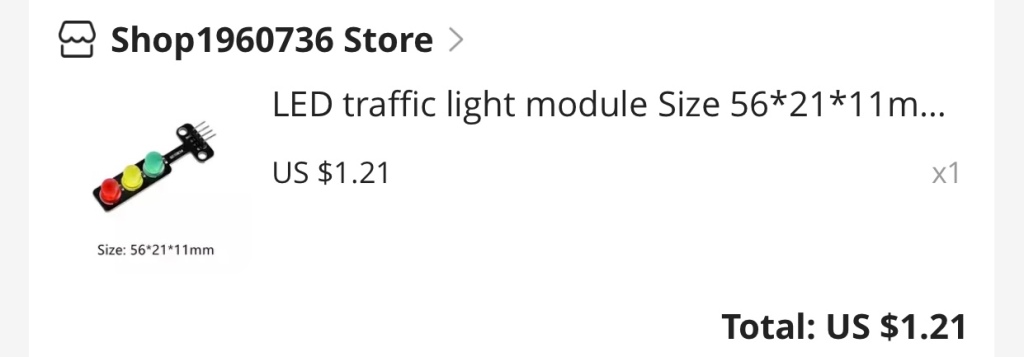
- I ordered a traffic light module/element/circuit board from Aliexpress and it was unbelievably cheap – $1.21 😮 😮 😮 What I typed in the search bar was “LED traffic light module”, I sorted the products by number of orders and “voilà”! You can do the same to get the module or just look for it in Amazon, I am sure there are plenty there too. I waited about a month for the module to arrive
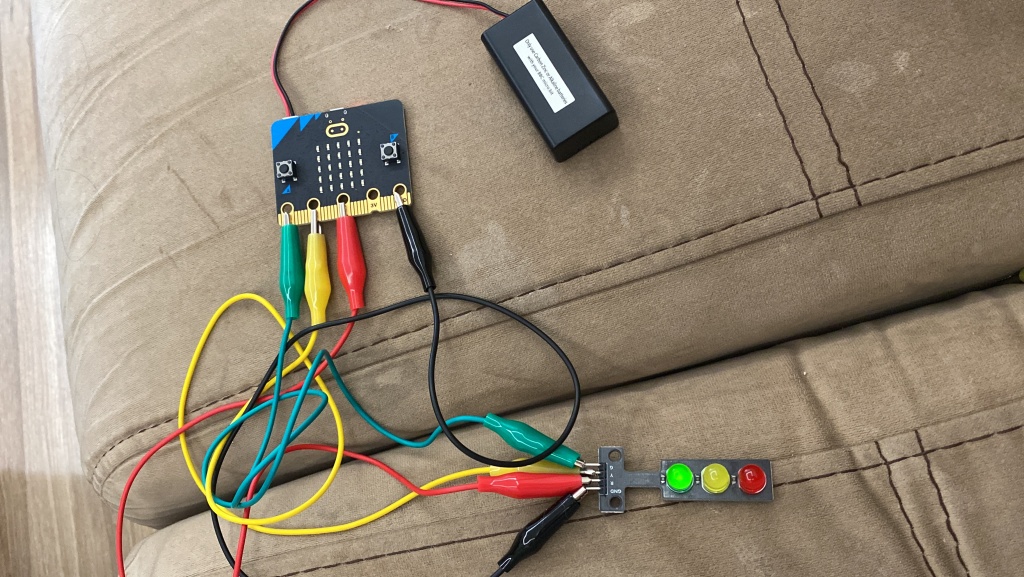
- I prepared 4 crocodile clips, one for each LED of the module – red light, yellow light, green light, and one for the ground “GND” pin
- I took out my microbit, its battery cage and the USB cable
- I plugged the microbit in the computer using the USB cable
- I opened makecode and started coding
- I downloaded the code to my computer and uploaded it to the microbit aaaaaand I was ready 😊
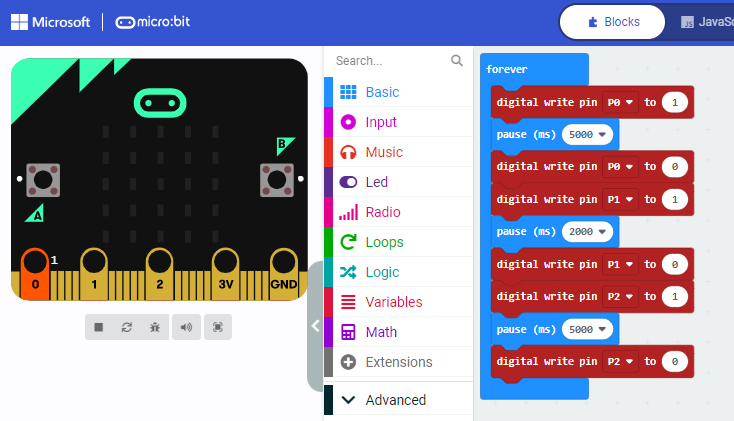
Coding part:
So, I need to send signals to the different pins, which means that I will send electricity to those pins. The pins are connected to the LEDs, which will result in the LEDs lighting up. I will need a delay between the signals, so that the lights will mimic the actual traffic lights. Let’s say the red light will be 5 seconds long, the yellow one will be 2 seconds long, and the green will also be 5 seconds long. All of this needs to keep happening forever, until I pull the plug and stop the electricity, meaning I will need a “forever” loop and not the normal “on start” event. That’s all I need. It’s a very simple code. Below you can see a screenshot of it:
You can do the project EVEN IF YOU DON’T HAVE THE TRAFFIC LIGHT MODULE. Yes, yes you can. Just buy 3 LEDs – a red one, a yellow one, and a green one and connect them the same way you would connect the traffic module. Only difference is that you will need to connect each minus (the short one) leg of the 3 LEDs to the GND of the microbit. It will be hard since the pins of the microbit are not that big, but you can surely try.
Last thing you will need is a way to use the project and have fun with it 😊 I used my bluetooth controllable mini cars from Shell, the new BMW collection, and it was lots and lots of fun! I even used colorful tape to trace some race tracks on the floor.
I hope you liked my little project. Try it out and don’t forget to message me if you do and give me feedback. I would love to hear all about it! Find me on Instagram, my username is the_it_teacher_from_bulgaria 😊
 Technology Realm Resources