Teaching very young students how to use a keyboard properly can be a challenge! Those little friends want to play around, sing, dance and enjoy their time, and it’s very hard to make them sit still and memorize the positions of letters on a keyboard. They need games! 2023 was the first year I had to teach students younger than 3rd grade and I found it very hard to give them exercises that are just the right amount of fun, games and educational value.
This is the purpose of this post – to give you a couple of websites where younger students, as young as kindergarten can exercise their typing and keyboarding skills.
ABCYA.com – Keyboard zoo – Click here to visit the keyboarding game/activity

This is my number one website for keyboarding and kindergarten students when it comes to complete beginners touching a keyboard for the first time! It’s not a competitive game, it’s nothing stressful or too rushing, no points gathering and fast background music! It’s very chill, actually. They get to choose between seeing the letters and hearing them (if you’ve got headphones for everyone). Whenever a letter appears, they have to type it (find it on the keyboard and tap it as many times as necessary). In this way they learn where each letter sits on the keyboard. Best part is, after each letter, they see a picture of an animal whose name starts with that letter, and a label with the name of the animal. It all looks very cute!

Typing.com – Type-a-balloon – Click here to visit the keyboarding game/activity
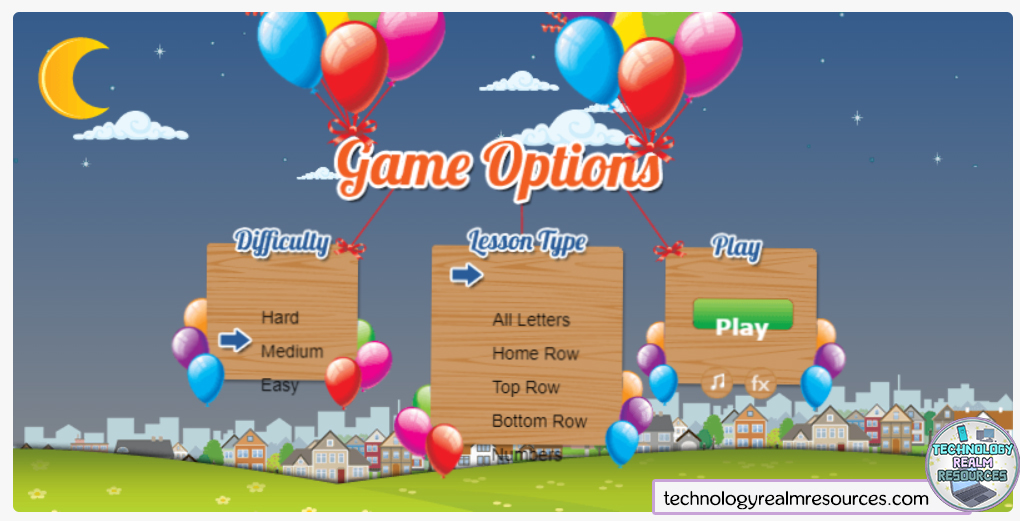
This activity is more of a game. When you open it, it gives you some options to choose from, like the difficulty and the letters (top row of the keyboard, bottom row, all the rows and letters, etc). After you choose, you click on Play and the game starts.
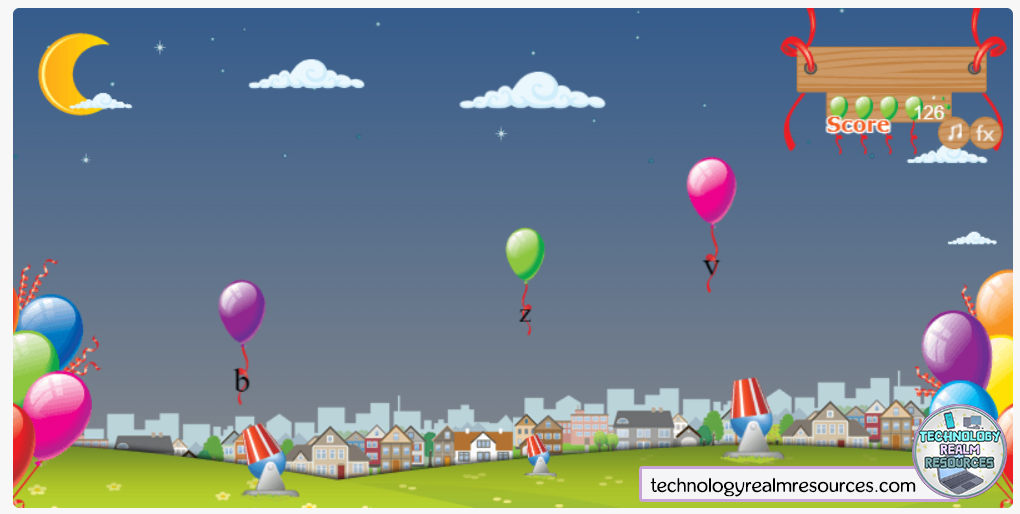
Some balloons start flying from the bottom, going up in the sky. Attached to each balloon is a letter that the students must find and press on the keyboard. That triggers one of the cannons on the ground to shoot, and if the letter is correct – they pop the balloon, otherwise they just shoot to the empty sky. It’s very fun! The bonus is – you can turn off the background music with a button on the upper right corner!
Typing.com – Keyboard jump – Click here to visit the website
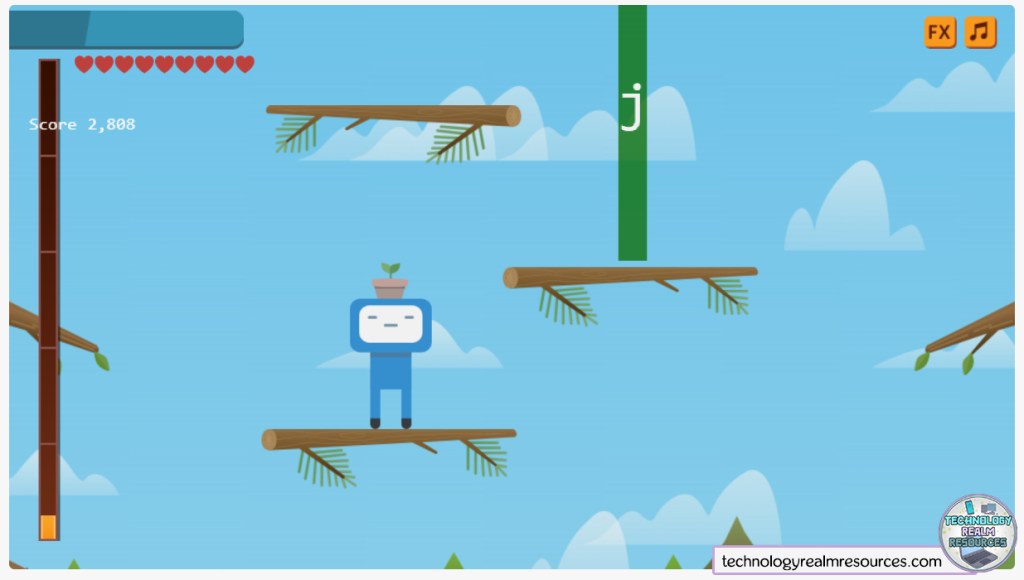
Another classic is Keyboard jump. Currently it has two versions. The first one (called the “old” one) I prefer for less experienced and younger students, because when played, it’s giving the student a single letter, and when that letters is pressed – the robot jumps up and gathers points. Of course, at the beginning there’s a lot of options to choose from, like difficulty, which row of the keyboard to give the letters from, etc. This is how the interface looks like:

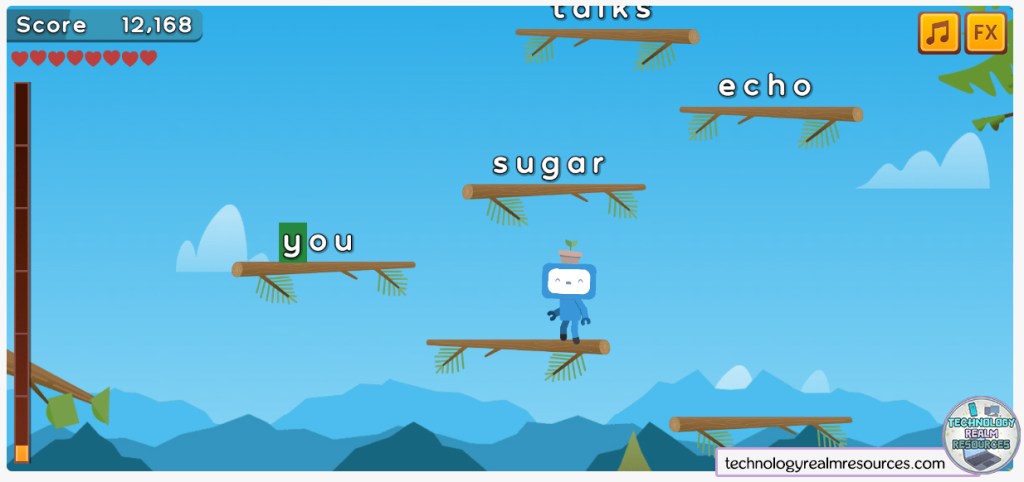
The other (so called “new”) version of the game is accessible when you click the “Try the new version of Keyboard Jump” button just above the square where the game loads (it’s in yellow). The interface is similar, but this time, when played, the students get whole words, and not just a single letter. When the word is typed down correctly, the robot goes up. It’s perfect for more experienced students, maybe even 1-2 graders that know their way around a keyboard. This is how it looks like:

Turtlediary.com – Farm Typing – Click here to visit the game
A very cute game is going to be the last one I recommend for this post. It’s called Farm Typing and it’s about feeding a chicken with some corn. Bubbles filled with delicious corn rise up to the sky, and when the student presses the letter that is written in the bubble, it pops and the chicken catches it. It has different levels when you gather a specific amount of corn.
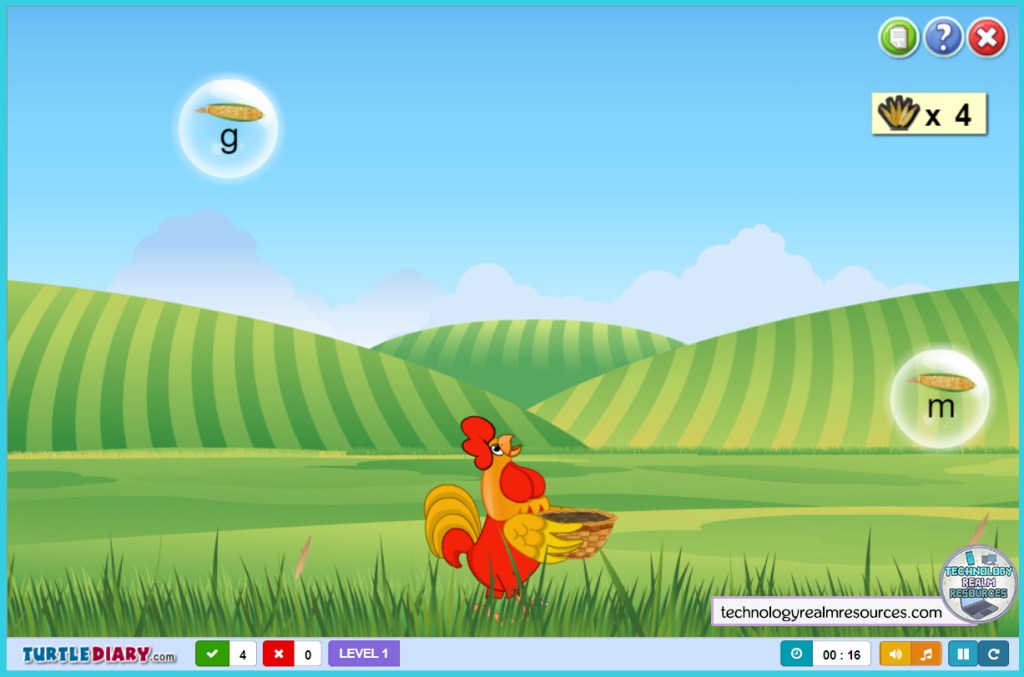
The reason this game is so special and why I left it for last is that it has way more options than the other ones I showed you. In the beginning, not only does it give you the difficulty option, but also – you can choose how many letters are displayed in each bubble – 1,2,3…5, and afterwards you can also choose which row of the keyboard to get letters from, if you want to include numbers and punctuation and all sorts of things. This is the most customizable keyboarding game for kindergartners that I have seen in a while. It lets you give it to a whole class, where some students are touching a keyboard for the first time, and some have been using one for more than a year. This is a tiny fraction of the options available:
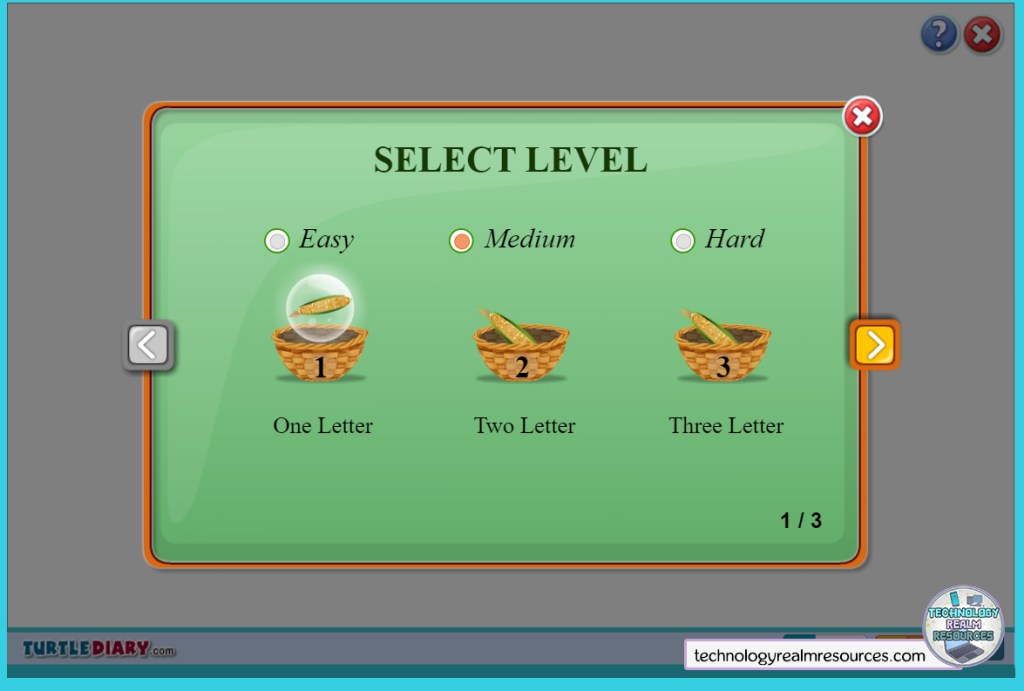
One last thing – the website turtlediary has so so soooo many keyboarding games, you can check them out. Not all of them are that good, but the chicken one is tested from me multiple times with K-1-2 students and it’s very well made and useful!
These are my best and most used websites and games about keyboarding and the keyboard typing skill. I always go for one of these when I am starting the typing skills lessons from the curriculum with some very young friends! I hope the screenshots helped you as well, they took so long to make 🙂 If you’ve got any suggestions, links, comments, feel free to contact me or leave a comment at this post! I’d be happy to expand this list with the best possible keyboarding online games. Happy teaching!
 Technology Realm Resources