I was browsing the Internet on a cold December day, and I accidentally stumbled upon a quick, creative brain break – a fun mini-project for my class! The snowflake maker I am about to show you is a simple online tool that lets students design their own snowflakes—completely free, no registration required, and with instant downloads. How cool is that? Here’s a link to the tool:
https://technologyactivities.com/snowflake-maker
The interface runs directly in the browser, so there’s nothing to install and no accounts to create. Students can jump right in, experiment with symmetry, shapes, and patterns, and watch their unique snowflake come to life in real time. I think this exercise counts as STEM as well, ha-ha. Once they’re done, they can download their design instantly as an image by right-clicking the design and choosing “Save As Image” (the button “Download design” doesn’t currently work, I hope the website owners get to fix it soon).
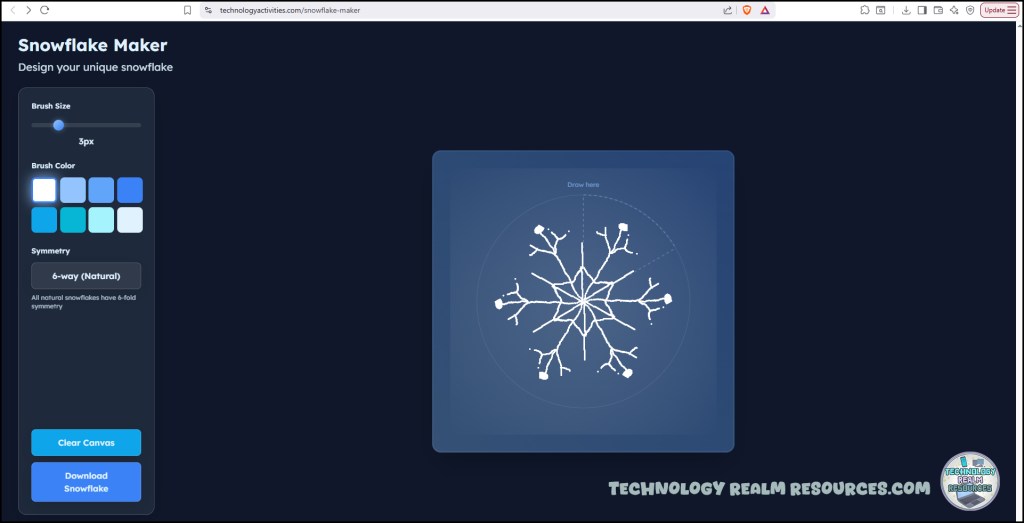
This makes the task perfect for:
- A 5–10 minute creative break between lessons
- A quick exploration of symmetry and design concepts
- A warm-up activity for a larger geometry or art-tech crossover project
- An early finishers activity
- End of lesson reward for the students
One of my favorite ideas is using this as a short class project: have each student design a snowflake, download it and send it to you, and then you can print them all out. You can turn them into a winter-themed bulletin board, a hallway display, or even a classroom “gallery” of digital creativity.
It’s low-friction, high-engagement, and surprisingly educational—perfect for tech classrooms where time is limited but creativity is always welcome.
If you’re looking for a fun way to mix design, math concepts, fine motor skills with the computer mouse, and creativity, this little tool is definitely worth adding to your teacher toolkit.
📌 Pin this tool for later by clicking here:
 Technology Realm Resources